BEFORE THE DETAILS
- Direct printing is possible on approved media, with testing of the actual surface.
- White ink and viewing direction shape the appearance on transparent materials.
- Light-curing does not guarantee adhesion or suitability for every use.
1. From artwork to the panel surface
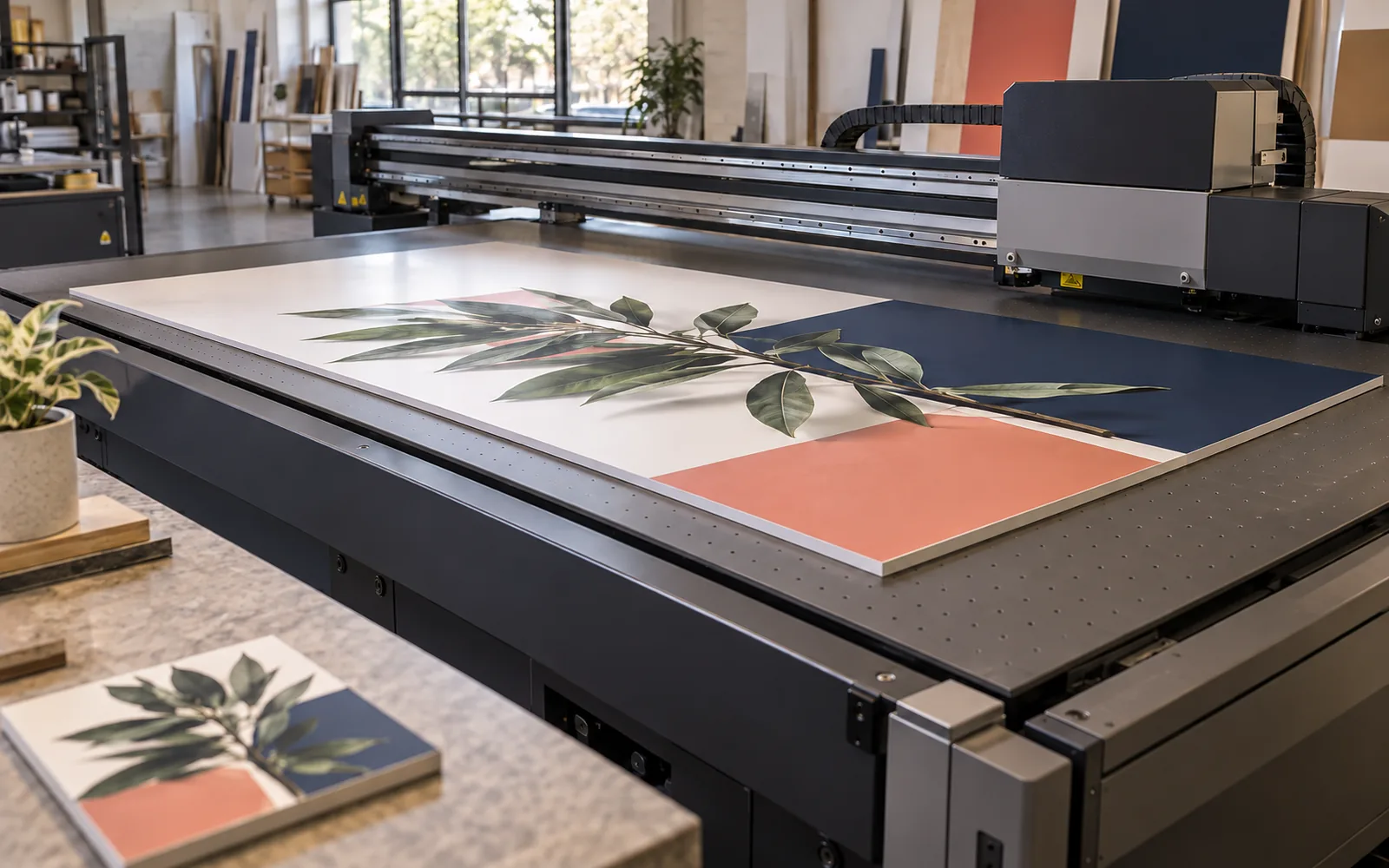
In UV printing, printheads deposit ink formulated for ultraviolet curing, and the curing unit sets the image layer during production. On a flatbed machine, the substrate rests on a table with a workflow suited to it. Printable area, permitted object height and holding arrangements vary between models, so the machine’s appearance alone does not establish its capabilities.
Direct printing adds an image to the surface; cutting and engraving are separate operations. A project may combine them, but their order needs review: where are the holes and edges, and will the board be cut after printing? Provide the final component drawing so the image can be assessed alongside fabrication and assembly, rather than as a picture alone.
2. Suitable media starts with adhesion testing
Manufacturers describe applications on acrylic, plastics, metals and other substrates while noting that adhesion and durability vary with the material. Acrylic or metal is not a complete specification: coatings, surface treatment and supplier can change the print surface. Request a test on the actual production material, especially for customer-supplied objects or a repeat job using a substitute substrate.
An approved primer may improve adhesion in a particular system, but it is not a universal treatment for every surface. Explain whether the object will be frequently handled, cleaned or exposed outdoors, and request an assessment for that use. Food-contact items and children’s applications need separate verification of the complete product; UV printing alone is not an approval for them.
3. Why does white ink matter on clear acrylic?
Colour appears differently on white, clear and dark substrates. On systems equipped with white ink, a white layer behind the colours can provide a background that helps them remain visible. Selected areas can remain transparent. This depends on the printer configuration, ink and artwork; it should not be assumed on every flatbed machine.
Define the viewing side from the start. For an image viewed through acrylic, the artwork may be reverse-printed on the back with an appropriate layer order. Approve a sample viewed from the intended direction, particularly where Arabic or English lettering or backlighting is involved. Review transparency, shadows and edges as well as colour strength.
| Decision | What to check |
|---|---|
| Transparent or opaque | Which areas should reveal what is behind them |
| Front viewing or through-panel viewing | Text orientation and layer order |
| Ambient light or backlighting | The sample under the intended lighting |
| Mounting and holes | Clearance between artwork and mounting components |
4. Review a finished piece before repeating it
For room numbers or a group of personalised gifts, select a sample representing the most demanding detail: small lettering, a critical colour, a transparent area or an image close to an edge. Check position, size and orientation on the object itself. Provide names or numbers in a structured, approved list, because print quality cannot correct a misspelled name in the file.
Ask about acceptable finishing and care after delivery. A sign read from a distance and an object handled and examined closely need different reviews. Agree an appropriate acceptance reference with the supplier and keep the sample for repeat orders. Changing the substrate, ink or layer order calls for another review of the result.
5. Machine care and the workshop brief
Professional care includes monitoring nozzle condition, keeping the work area clean and following the system’s ink-care routines, including white ink where fitted. Service work belongs with a qualified technician, with protection against ultraviolet exposure, uncured ink and moving parts. Safety guards should not be altered, and curing settings should not be treated as an improvised answer to adhesion problems.
- Material type and source, dimensions, thickness and quantity.
- Print side, viewing side and areas that must remain transparent.
- Logo and personalisation data, plus any hole or cutting drawing.
- Display and cleaning conditions, and whether a complete sample is needed before the batch.
Common questions
Can UV print on any material?
Suitability depends on the ink, substrate surface, object geometry and machine limits. Check the system documentation and test adhesion before approving a new material.
Is white ink automatically available?
No. It depends on the system configuration. If the design needs a white backing or selected clear areas, confirm the capability and layer separation before production.
Sources and further reading
YOUR NEXT STEP
Turn the details into a clear brief.
Send a photograph, material and dimensions, and specify whether the image will be viewed directly or through the acrylic.